
Best AI Product Photography Tools for Ecommerce in 2026
Product photography is one of the highest-leverage places to apply AI in ecommerce. A single raw photo of your product — shot on a phone against any background — can now become a full set of studio-quality images, lifestyle scenes and ad creative, without booking a photographer, shipping samples or waiting weeks for edits.
The category has split into two flavors in 2026: polished SaaS platforms that handle the whole workflow, and AI Agent Skills that generate images on demand inside tools like Claude. This guide covers both, with the tools that actually deliver listing-ready results.
Why AI Product Photography Matters
Buyers decide whether to click — and whether to buy — based on the first image. On Amazon, the main image drives click-through rate. On Shopify and TikTok Shop, lifestyle imagery drives conversion. Traditional product photography is expensive ($50–$500 per SKU), slow (weeks of shooting and editing) and hard to redo when you rebrand or expand to a new marketplace.
AI product photography collapses all of that into minutes per SKU. You upload one clean product shot, pick a scene or template, and get back a set of images that look like they came from a studio.
Top AI Product Photography Tools
1. Mokker AI
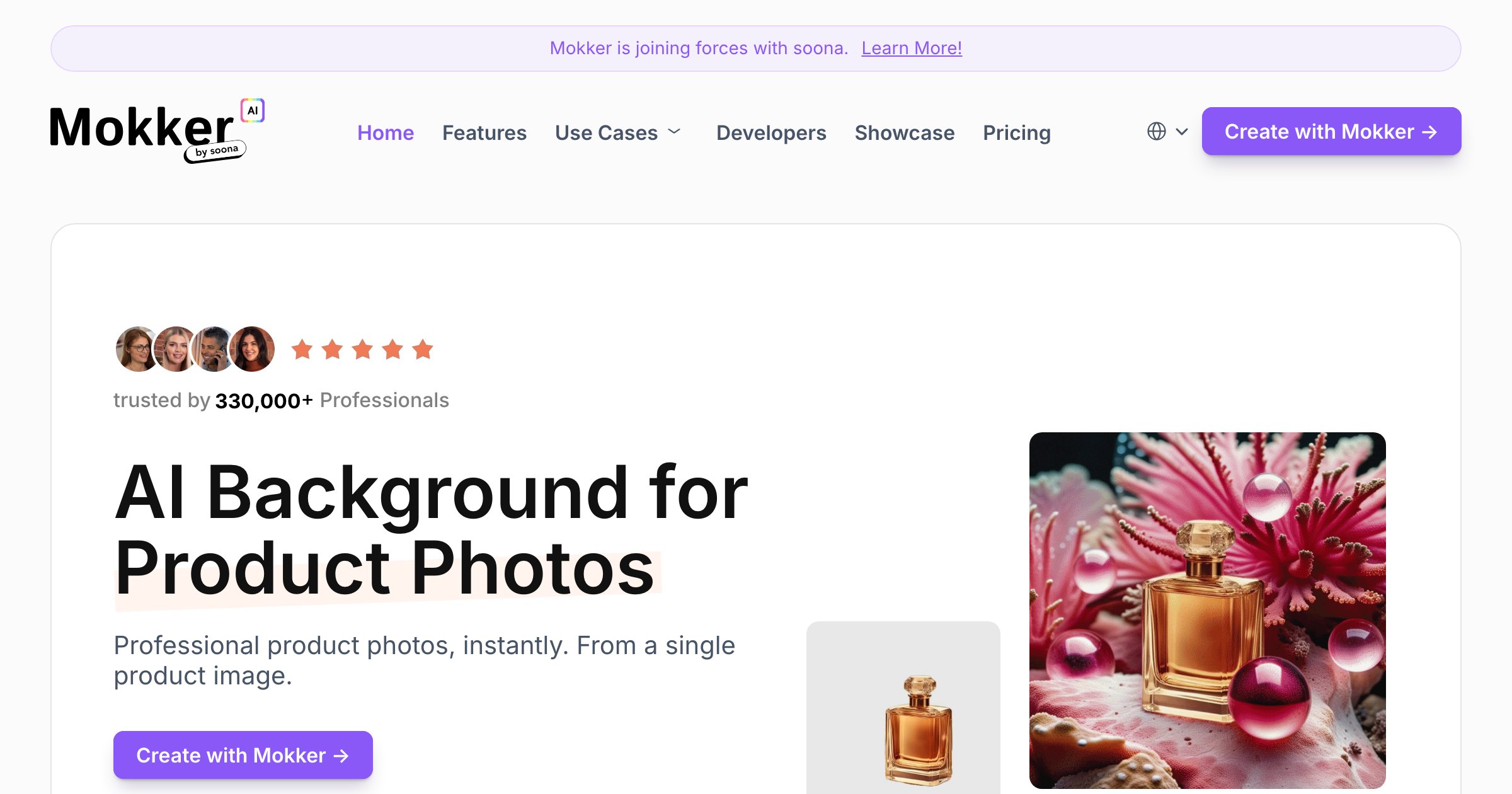
Mokker AI is a dedicated AI product photography platform. Upload a product photo and it drops your product into professional scenes — kitchen counters, bathroom shelves, outdoor settings — with realistic lighting and shadows. It’s the closest thing to a one-click studio for sellers who don’t want to learn prompting.
Best for: sellers who want finished, listing-ready scenes with zero prompt engineering. Pricing: tiered plans from a low starter tier; higher tiers unlock higher resolution and more monthly generations. Pro tip: use Mokker for your hero image and a couple of lifestyle variants; use batch platforms like PixPix for catalog-wide scenes.
2. 3wanai
3wanai is an AI commerce design platform built for e-commerce teams. It turns product inputs into ready-to-use marketing visuals — including the kind of infographic-heavy detail page images that convert well on Amazon and Asian marketplaces.
Best for: sellers who need infographic-style detail page images, not just lifestyle shots. Pro tip: pair 3wanai with your existing product copy so the AI can pull selling points directly into the visual.
3. PixPix
PixPix is an AI visual creation platform aimed at cross-border e-commerce. It covers the common needs — background removal, scene generation, batch editing — in a workflow tuned for sellers managing many SKUs at once.
Best for: cross-border sellers processing high volumes of product images. Pro tip: build a scene template library once, then reuse it across SKUs to keep your visual style consistent.
4. Gaoding AI
Gaoding is a Chinese design platform for e-commerce visuals. It brings template-driven design together with AI generation, so you can produce consistent, on-brand creative across a catalog rather than one-off images.
Best for: sellers who want brand consistency across many SKUs. Limitation: some features are tuned to Asian marketplace conventions; check the output if you primarily sell on Western platforms.
5. Leonardo.Ai
Leonardo.Ai is a general-purpose AI image generation platform with fine-tuned models and granular control. It’s not ecommerce-specific, but it’s the tool of choice for sellers who want full creative control and are comfortable crafting prompts.
Best for: sellers who treat image creation as a creative skill and want maximum control. Pro tip: use Leonardo for hero brand campaigns; use Mokker or 3wanai for the long tail of catalog SKUs.
AI Agent Skills for Product Images
A newer and fast-moving category is Agent Skills — small, composable AI capabilities that run inside an agent like Claude. If you’re already building agent workflows, these let you generate product images as part of an automated pipeline.
6. Ecommerce Image Suite Skill
Ecommerce Image Suite Skill covers product image analysis, selling-point extraction and image generation in one package. It’s useful when you want an agent to look at your existing images, figure out what’s missing and produce the gaps.
Best for: sellers building automated image workflows in Claude.
7. GPT-Image-2 Ecommerce Skill
GPT-Image-2 Ecommerce Skill is a Claude Code Skill for one-click ecommerce creative generation. It’s geared toward sellers who want to generate a full set of listing creative from a single command.
Best for: technical sellers using Claude Code.
8. 1Click Ecom Detailpage
1Click Ecom Detailpage is an AI Agent Skill that generates high-converting cross-border detail pages in one click — the kind of image-rich long-form product page that performs well on Asian marketplaces.
Best for: cross-border sellers who need full detail pages, not single images.
How to Choose an AI Product Photography Tool
Selection checklist by job:
- Lifestyle scenes, no prompt: Mokker AI.
- Infographic detail pages: 3wanai or 1Click Ecom Detailpage.
- High-volume catalog batches: PixPix or Gaoding AI.
- Full creative control: Leonardo.Ai.
- Automated agent pipelines: Ecommerce Image Suite or GPT-Image-2 Skills.
A common starting stack is one SaaS platform (Mokker AI or 3wanai) for polished output, plus one Skill for automated, repeatable generation as your catalog grows.
Tips for Getting Listing-Ready Results from AI
Whatever tool you pick, a few rules make the output dramatically better:
- Shoot the input photo well. Even lighting, sharp focus, no shadows. AI can add a scene, but it can’t fix a blurry product.
- Use one consistent style across a listing. Mixed visual styles hurt conversion more than plain white-background shots.
- Match the scene to the marketplace. What works on Amazon (clean, white, info-heavy) differs from what works on TikTok Shop (lifestyle, energetic, people).
- Regenerate until it’s right. AI image quality varies run to run. Generate a few variants and pick the best.
- Use the hero image for trust, lifestyle for context. On Amazon, the hero image should be a clean white-background product shot. Lifestyle belongs in the secondary images.
- Compress before upload. Most marketplaces cap image size at 5–10 MB; export JPEG q80–85 at 1500–2000 px on the long edge.
Common Mistakes to Avoid
- Skipping the input photo quality. No AI tool can fix motion blur or harsh shadows on the source.
- Same image across marketplaces. A TikTok Shop aesthetic on Amazon kills conversion, and vice versa.
- Ignoring brand consistency. Five different visual styles across a catalog look unprofessional and hurt trust.
- Forgetting alt text and metadata. AI tools generate the image, not the SEO. Add descriptive alt text with keywords.
- Not A/B testing. Run the same product with AI-generated vs human-shot images and measure click-through rate.
Building a Product Image Workflow
A practical weekly workflow for a mid-size store:
- Shoot the new SKUs on a plain background with even lighting (a phone in a $30 lightbox is enough).
- Generate the hero with Mokker AI or 3wanai — clean white-background, the product front and center.
- Generate 3–5 lifestyle images showing the product in context.
- Generate infographic variants for detail pages if you sell on Amazon or Asian marketplaces.
- Run the same input through your Skill if you have an automated pipeline, for catalog-wide variants.
- QA, compress, upload to each marketplace with platform-specific alt text and filenames.
FAQ
Do AI product photos actually convert? Yes, when done well. Case studies from Mokker AI, Pebblely and similar tools show AI lifestyle imagery driving 20–40% higher click-through rate vs plain white-background only — but the bar is “as good as a studio shoot”, not “good enough for now”.
Can I use AI product photos on Amazon? Yes, as long as the image is accurate to the product and complies with Amazon’s image guidelines (no text overlays, no borders, accurate representation). AI tools that generate realistic, accurate product imagery are fine.
How much do AI product photography tools cost? Free tiers exist for Mokker AI, Leonardo.Ai and others. Paid plans range from $20–100/month for mid-volume sellers. Compare to $50–500 per SKU for a real photo shoot.
Should I replace my product photographer with AI? Not necessarily. AI is great for volume, lifestyle scenes and catalog refreshes. A real photographer is still worth it for flagship products, brand campaigns and detail pages where craft matters most. The best stores use both.
The Bottom Line
AI product photography has removed the biggest practical barrier to great ecommerce imagery — cost and time. Whether you pick a polished SaaS platform or a composable Agent Skill, you can now produce a full image set for a new SKU in the time it used to take to book a photographer.
For more ecommerce AI tools beyond photography, browse the AI Design category or read the full ecommerce AI tools guide.